If the cash drawer isn’t opening, it’s typically related to the printer. Troubleshoot to identify and resolve any issues preventing the printer from functioning properly.
Below are troubleshooting options for you to explore:
- Check that all cables are properly connected from the cash drawer to the printer.
- Verify that the printer is powered on.
- Restart the printer.
- Check permissions: pressing “Open register” and using the code 789456.
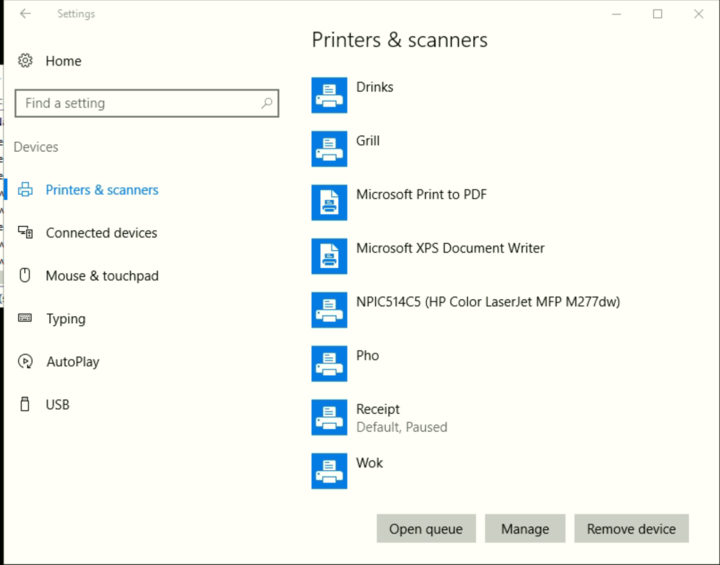
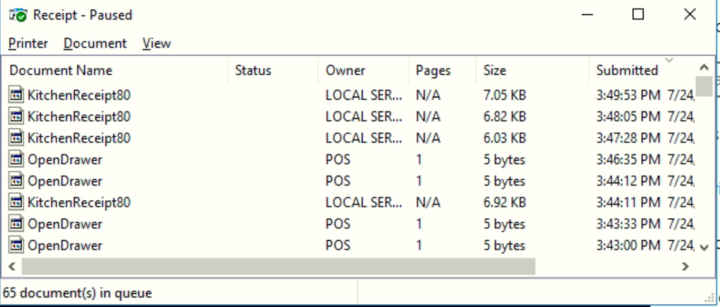
- Navigate to Desktop settings > Printer and devices > Print a test transaction. Pay attention to any “open drawers” in the queue. If the printer is paused for some reason, cancel all print jobs to prevent them from printing once the printer is unpaused.